
Improve Options Design PRO
Make the native Opencart options look great
OpenCart Image Options & Zoom
Make native OpenCart product options easier to explore. Present choices as image cards or text lists, assign option images and let shoppers inspect details with zoom.
Explore the workflow. Check the requirements. Choose with confidence.A clearer workflow. More control.
Make the choice easier to recognise
Use image-based options or readable text lists according to the product.
Choose the right source image
Use global option images or images assigned to product option values.
Let customers inspect the detail
Offer magnifying zoom for the configured option images.
How it works
Choose the presentation
Decide which options use images and which use text.
Assign images
Set the appropriate image source for the option values.
Review the detail
Check card size, labels and zoom in the product theme.
Explore the product before you buy.
Review the available demo and check the features that matter to your store.
Useful answers before purchase
Is this the right edition for my store?
Changes to product options made by a theme or another extension can require an integration review. Custom adaptations are quoted separately.
Can I use it with a customised theme?
Theme and extension interactions depend on your setup. Contact our team with your platform version and installed components before purchase; any custom integration is quoted separately.
Where do I download the extension?
Use the DevmanExtensions Download Center after purchase and follow the instructions for your product and platform. Keep a backup and test the installation before changing your live store.
More product details and demonstrations
Main features
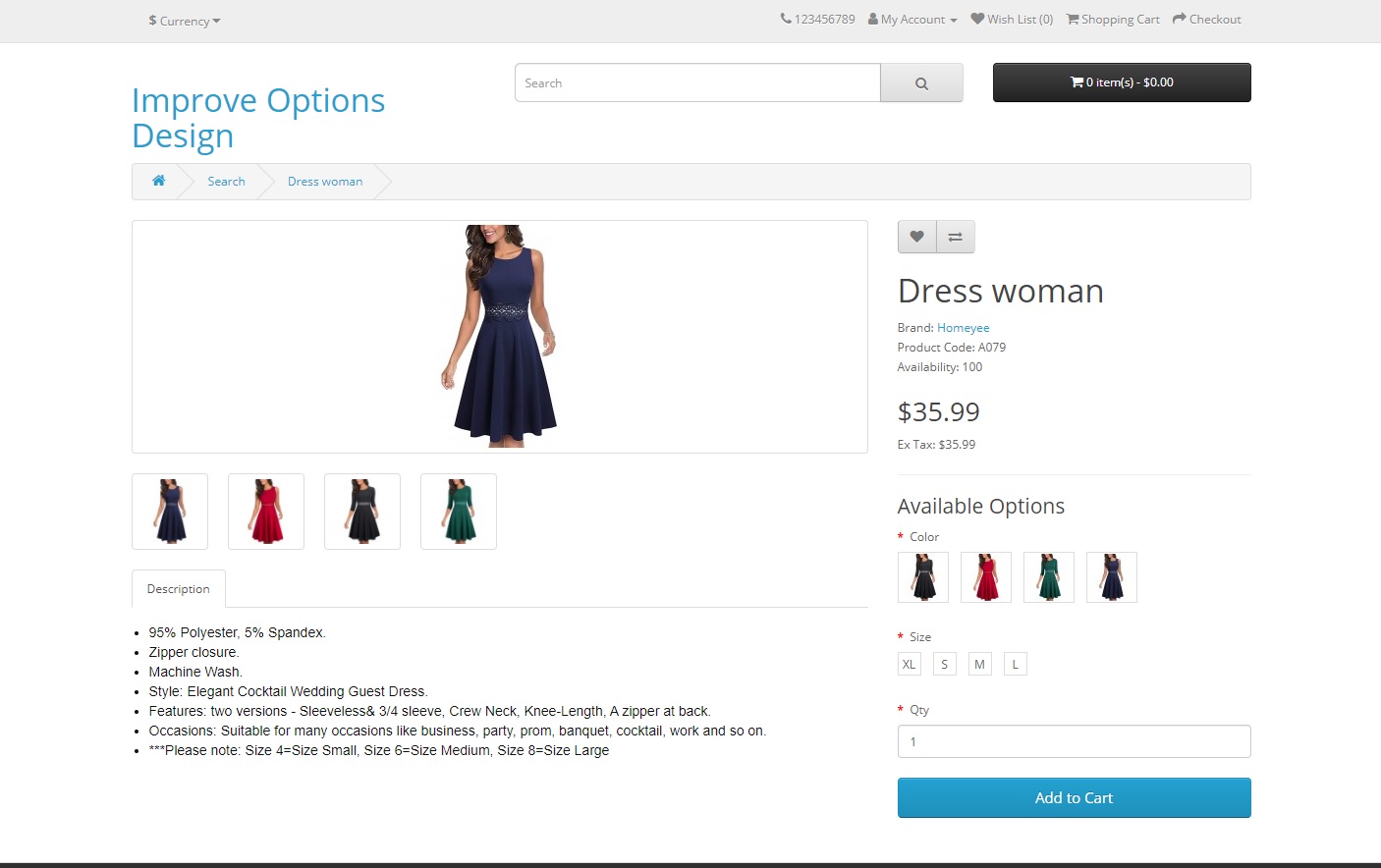
- Configure each option to be displayed as an image or as a list (text).
- Set a custom image for each product option value.
- Choose from where the option image will be obtained: if it will be the image configured globally for the option or the custom image configured to each value of the product option.
- Zoom hover functionality to enlarge the image of each option when the mouse is positioned over an option.
- Configure each functionality, fields and aspects of the extension.
Additional information
FRONTEND
IMPORTANT NOTE BEFORE PURCHASE
About external modules: If you have external modules that is changing critical product parts that can entry in conflict with this extension (like product options) is possible that you will have incompatibilities which needs to be solved by a quote, ask for a quote and our team will offer you the best price for it.An incompatibility with your theme/extension is not motive of refund, we have to do a budget to adapt plugin to your needs. The refund will be applied in case that the custom develop is not possible. If you have doubts before purchase it, ask for possible extra quotes to our team.
What do you need?
Digital download after payment confirmation. No shipping charges.
Converted prices are estimates. Payment currency is confirmed at checkout.
Backend Demo Frontend Demo