
Options combinations
Combine options in your products, individual data for each option combination
OpenCart Product Variants & Stock
Manage product option combinations in OpenCart. Give variants their own stock, identifiers, prices and images, with a configuration suited to your catalogue.
Explore the workflow. Check the requirements. Choose with confidence.A clearer workflow. More control.
Treat a combination as a real variant
Maintain stock, SKU, model and other supported data for each combination.
Keep variant pricing under control
Configure the prices, specials and discounts that belong to a variant.
Match the presentation to the theme
Use generic integration or the fuller presentation available for supported themes.
How it works
Build combinations
Choose the product options that define each variant.
Add variant data
Configure stock, identifiers, prices and images.
Check availability
Verify selections and add-to-cart behaviour in your theme.
Explore the product before you buy.
Review the available demo and check the features that matter to your store.
Compatibility and setup requirements
Gallery changes and product-list bullets require full theme integration. Generic mode and supported full integrations differ; custom integration may need a separate quote.
Themes and interacting extensions may require custom development. We will review the issue and provide a separate quote; custom adaptations are not included in the extension price.
A third-party theme incompatibility does not, by itself, entitle the buyer to a refund. Applicable consumer rights and the purchasing marketplace’s refund policy remain in effect.
Check compatibility with our teamUseful answers before purchase
Is this the right edition for my store?
Gallery changes and product-list bullets require full theme integration. Generic mode and supported full integrations differ; custom integration may need a separate quote.
Can I use it with a customised theme?
Theme and extension interactions depend on your setup. Contact our team with your platform version and installed components before purchase; any custom integration is quoted separately.
Where do I download the extension?
Use the DevmanExtensions Download Center after purchase and follow the instructions for your product and platform. Keep a backup and test the installation before changing your live store.
More product details and demonstrations
Main features
- Make UNLIMITED options combinations levels.
- COMPATIBLE WITH IMPORT EXPORT PRO! BULK EXPORT/IMPORT OPTIONS COMBINATIONS!
- Compatible with all templates (Using "Generic functionality")
- All frontend texts are configurable and multilanguage compatible.
- Options bullets in products list view (FULL Theme compatibility ONLY)
- Stock control in "Add to cart" button for options combinations without enough stock.
- Main gallery live change images (FULL Theme compatibility ONLY)
- Options like images, Options like texts.
- EACH COMBINATION OPTIONS CAN HAVE THIS INDIVIDUAL DATA
- 3 images
- SKU
- UPC
- Model
- Price (by customer group on/off)
- Multiple Specials
- Multiple Discounts
- Points (by customer group on/off)
- Weight
- Dimensions (Length, width & height)
- Extra text
- Subtract stock (on/off)
Additional information
Option combinations - Product variants: Ideal for sizes, colors, capacities, dimensions...
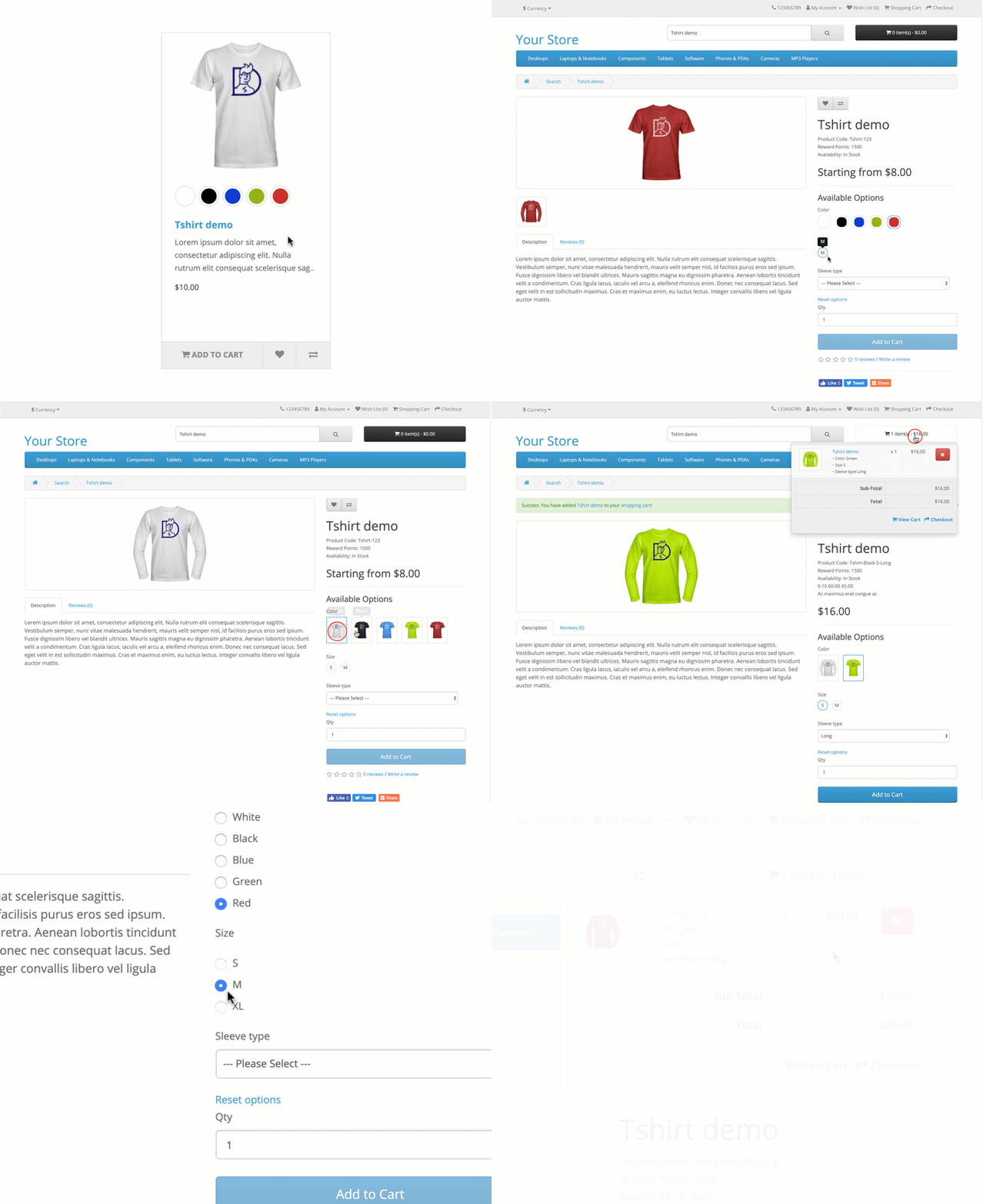
You can configure Options combinations in frontend zone pressing in main menu red button "- DEMO - Options combinations configuration -", or accessing directly to this link. After choose your configuration press in blue button "Apply selected configuration" and system will redirect to home..
ADMIN DEMO
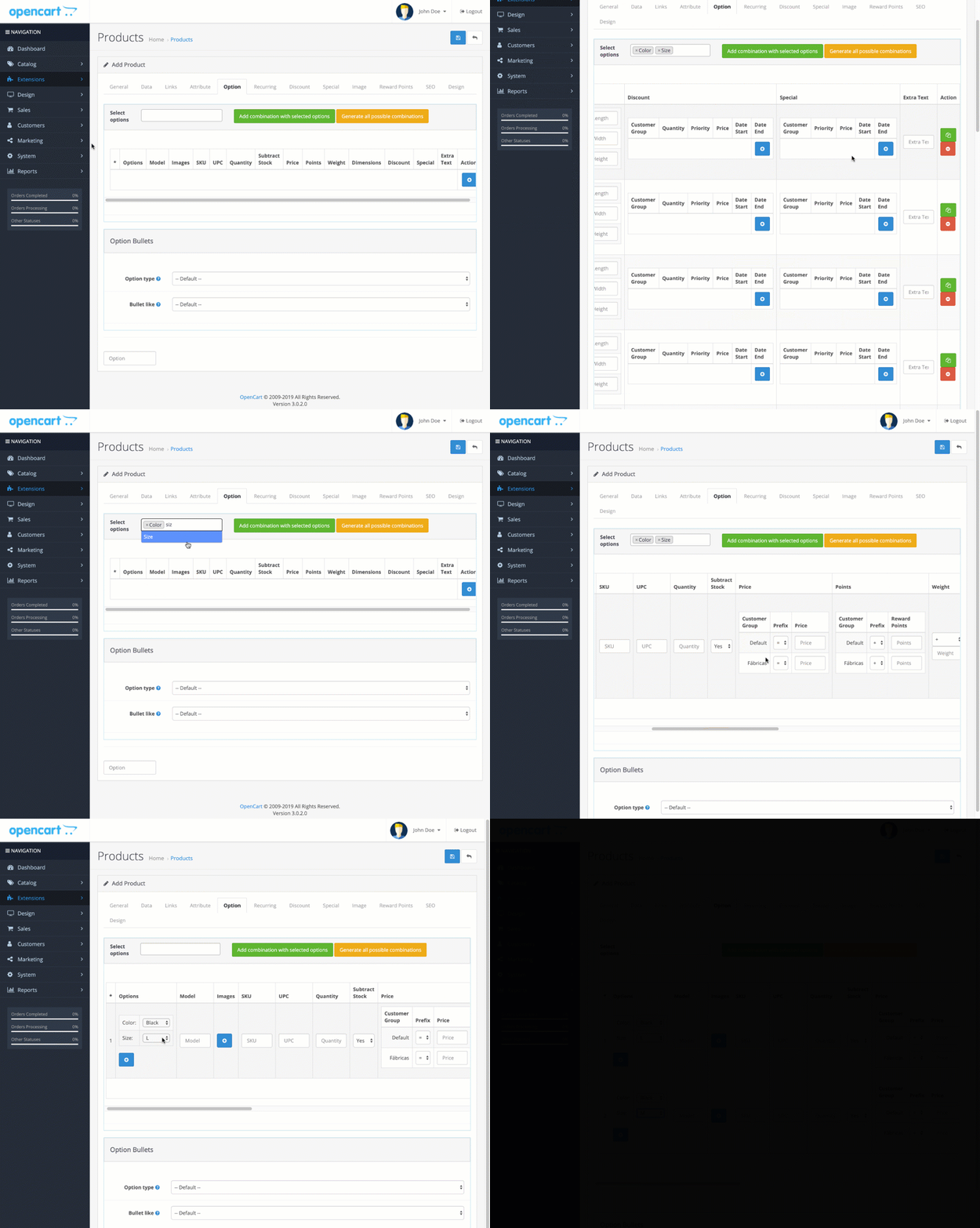
BASIC THEME COMPATIBILITY "GENERIC FUNCTIONALITY" DEMO. COMPATIBLE WITH ALL THEMES
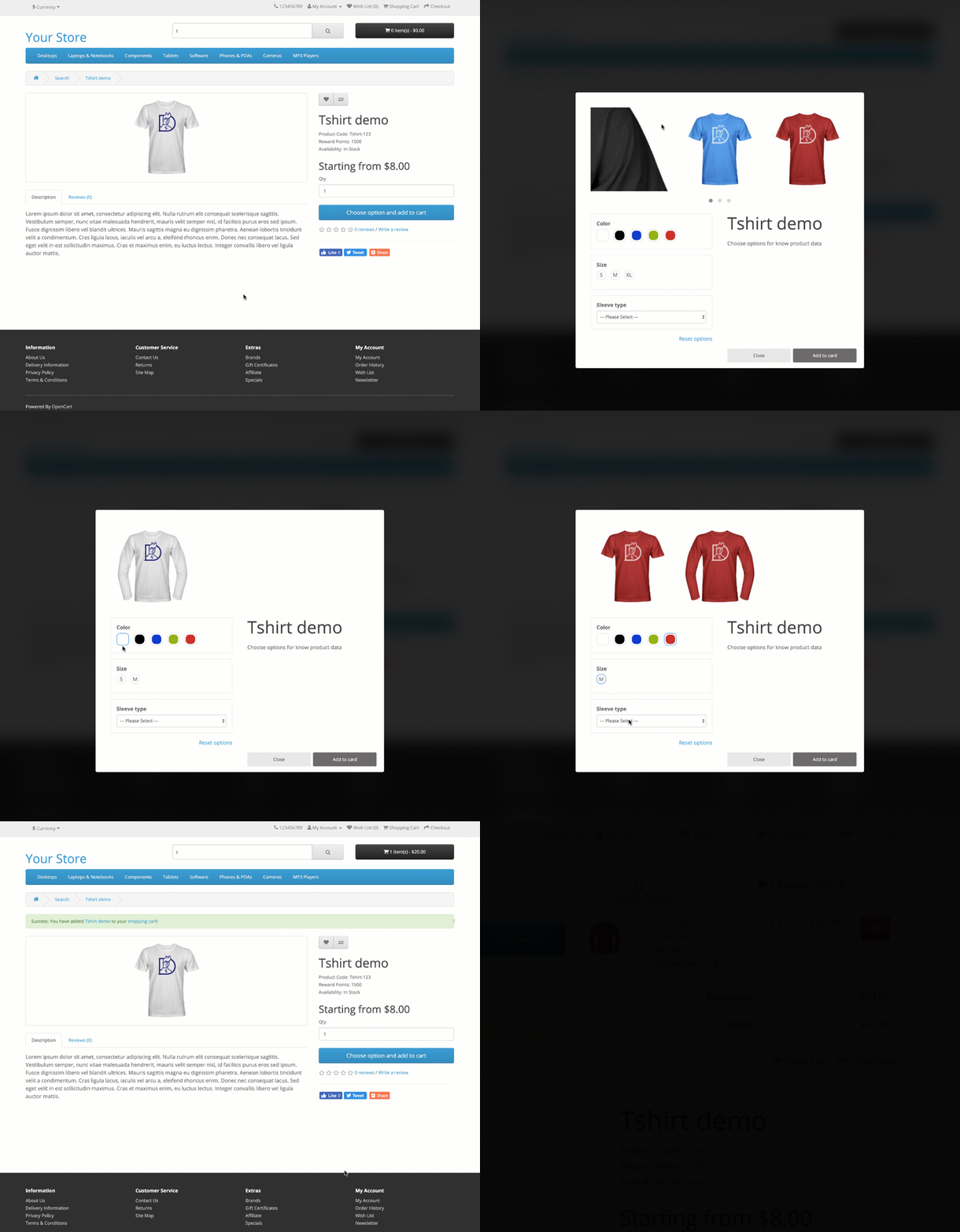
FULL THEME COMPATIBILITY DEMO
This mode is compatible with themes listed in "FULL THEMES COMPATIBILITY LIST" you can find it at bottom of this page. If you want FULL compatibility in a theme that is not in this list you can ask for a quote.
FULL THEMES COMPATIBILITY LIST
Opencart 2
- Default theme
- Journal 2
- Journal 3
- Default theme
- Journal 2
- Journal 3
IMPORTANT NOTE BEFORE PURCHASE
We can not guarantee the correct functioning with external themes or external modules that are modifying essential parts used by this extension (for example product options).
- About external themes: Remember that you can use "Generic mode" for your custom template. If this functionality is not enough for you and you need FULL compatibility, ask for a quote and our team will offer you the best price for it.
- About external modules: If you have external modules that is changing critical product parts that can entry in conflict with this extension (like product options) is possible that you will have incompatibilities which needs to be solved by a quote, ask for a quote and our team will offer you the best price for it.
An incompatibility with your theme/extension is not motive of refund, we have to do a budget to adapt plugin to your needs. The refund will be applied in case that the custom develop is not possible. If you have doubts before purchase it, ask for possible extra quotes to our team.
What do you need?
Digital download after payment confirmation. No shipping charges.
Converted prices are estimates. Payment currency is confirmed at checkout.
Backend Demo Frontend DemoCustomer reviews
5.00/5 · 1 review
Probably the best extension there is for solving the Opencart variations via option combinations! This is a must for every store and Opencart unfortunately falls short for it. Luckily there is this extension which solves it. We also needed to integrate it with multiple customizations we had on site and everything went smoothly as the extension is coded very cleanly, with much awareness. Support was very prompt and friendly. Very appreciative for this extension! Keep up the good work!
Rose ·