
Import Export PRO
Import and export PrestaShop products with XML, CSV and XLSX using reusable profiles.
PrestaShop Import & Export Pro
Import and export PrestaShop products with XML, CSV and XLSX using reusable profiles.
Explore the workflow. Check the requirements. Choose with confidence.See what your import profile changes
Try these two rules with fictional supplier data. This example does not change your store.
| SKU | Stock | Supplier cost | Imported price |
|---|---|---|---|
| DEMO-001 | 8 | 20.00 | 20.0025.00 |
| DEMO-002 | 5 | 32.00 | 32.0040.00 |
| DEMO-003 | 0 | 12.00 | 12.0015.00Excluded by the pre-filter |
Keep the product reference to update the same product on the next import.
Column mapping
Map columns and categories, apply pre-filters and conditions, then validate the preview.
Review before writing
Preview the result, validate the complete source, then run or schedule your saved profile.
Execution history
Batch processing, checkpoints and explicit recovery for interrupted imports.
A clearer workflow. More control.
Spend less time on catalogue updates
Column mapping, category mapping and pre-filters for supplier files.
Keep your data workflow reusable
Saved profiles, CRON scheduling, run history and CSV error reports.
Plan the migration before you move
Batch processing, checkpoints and explicit recovery of interrupted imports.
Main features
- Column mapping, category mapping and pre-filters for supplier files.
- Import and export conditions, transformations, previews and validation.
- Products, native combinations, categories, features, manufacturers, suppliers, images, prices and stock.
- Saved profiles, CRON scheduling, run history and CSV error reports.
- Batch processing, checkpoints and explicit recovery of interrupted imports.
- Update mapped fields while preserving unmapped catalogue data.
- Module interface in English and Spanish.
How it works
Choose the data
Choose a CSV, XLSX or XML file and the products you want to process.
Map and review
Map columns and categories, apply pre-filters and conditions, then validate the preview.
Run or schedule
Run the saved profile manually or schedule it with CRON. Review the run history and reports.
Explore the product before you buy.
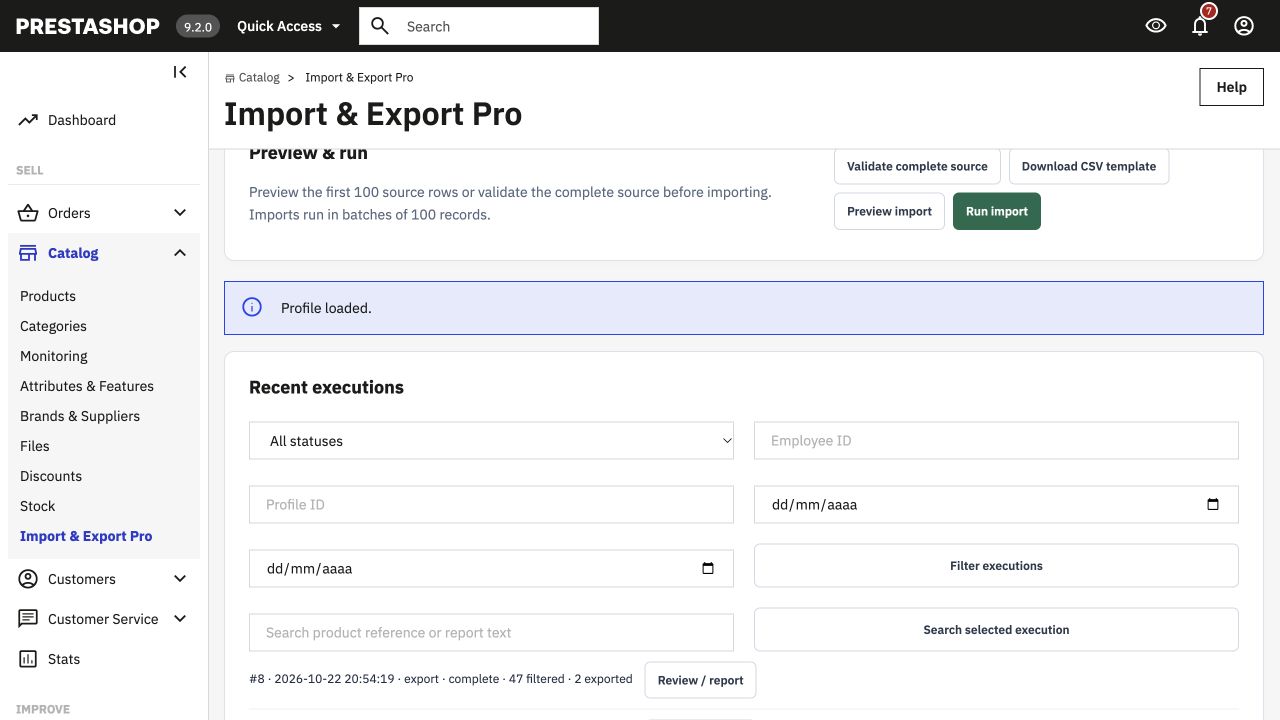
Administration demo
Sign-in is automatic with the restricted demo account.
Inside the module
Useful answers before purchase
Is this the right edition for my store?
Tested on PrestaShop 9.2.0, 8.2.8 and 1.7.8.11. Back up your store and validate files before importing.
Where do I download the extension?
Use the DevmanExtensions Download Center after purchase and follow the instructions for your product and platform. Keep a backup and test the installation before changing your live store.
License rights
Perpetual use, three months of support and six months of updates. Activate with your Devman download code and licensed shop URL.
Know about license rightsWhat do you need?
Digital download after payment confirmation. No shipping charges.
Converted prices are estimates. Payment currency is confirmed at checkout.
Backend Demo Frontend Demo